
Telecom Site Acceptance (ATP) in Nigeria: Check the Work Before the Client Does
Olamide Ademola · · 7 min read

Why does a site that was finished weeks ago still have no acceptance certificate?
If you run telecom rollout or maintenance work in Nigeria, you know how it goes. The installation is done. The engineer has moved on to the next site. Then the client's team rejects the ATP pack because one photo is blurry, a label cannot be read, or a section of the checklist is blank. Someone goes back to site. The invoice waits.
Most delays at acceptance are not about the work. They are about the evidence. This guide explains what telecom site acceptance (ATP) needs, why packs get sent back, and how Anvela helps you check everything before the client ever sees it.
What is telecom site acceptance (ATP)?
ATP usually stands for acceptance test procedure. It is the client's check that the work at a site was done to the agreed standard. When it passes, the site is accepted, the warranty clock usually starts, and the contractor can raise the bill for that site.
A typical ATP pack holds:
- The checklist: every item the client wants confirmed, grouped in sections such as civil works, power, radio equipment, grounding and safety.
- Photos: the tower, each sector, equipment labels, meters and cable runs, often as before and after pairs.
- Readings and records: the survey answers and test results from the visit.
- Observations: anything the checklist does not cover, and anything still to fix.
- Sign-off: the names, roles and signatures of the people who accept the site.
Each client has its own format. The details change, but the idea is the same: show, item by item, that the work is done.
Why ATP packs get rejected
When a pack comes back, it is rarely a surprise to the engineer. The usual reasons are:
- A photo cannot be used. It is blurry, too dark, cut off, or shows the wrong item.
- A photo is missing. The "after" picture of one sector was never taken.
- The checklist is incomplete. An item was skipped, or a section that does not apply was left blank instead of marked N/A.
- The evidence is in many places. Photos in one phone's gallery, readings in a spreadsheet, sign-off on WhatsApp.
- Nobody checked before it went out. The client becomes the first reviewer.
Every one of these is cheaper to catch at the office, or better still on site, than at the client's desk.
How site acceptance works in Anvela
Anvela has an area called Network for field and telecom teams. The work moves through it in order: Dispatch sends the engineer, Capture is the survey on his phone, Review is your own check, and Acceptance is where the ATP is recorded and exported.
The rule is simple. A visit cannot reach acceptance until someone in your team has verified it. Anvela refuses to record an ATP for a visit that has not passed review.
Step 1: Ellis checks each photo on site
When the engineer takes a photo, Ellis, Anvela's assistant, looks at it once it is uploaded. It says Looks good, Retake suggested or Ellis isn't sure, with one plain reason and one way to fix it. For example: too dark, so turn on the flash or open the cabinet door fully.
The engineer always decides. He can tap Retake, or Keep anyway if he knows the photo is fine. Where there is network, the problem is caught while he is still standing at the cabinet, not two weeks later. Where there is none, the photo waits on the phone and Ellis checks it once it is sent.
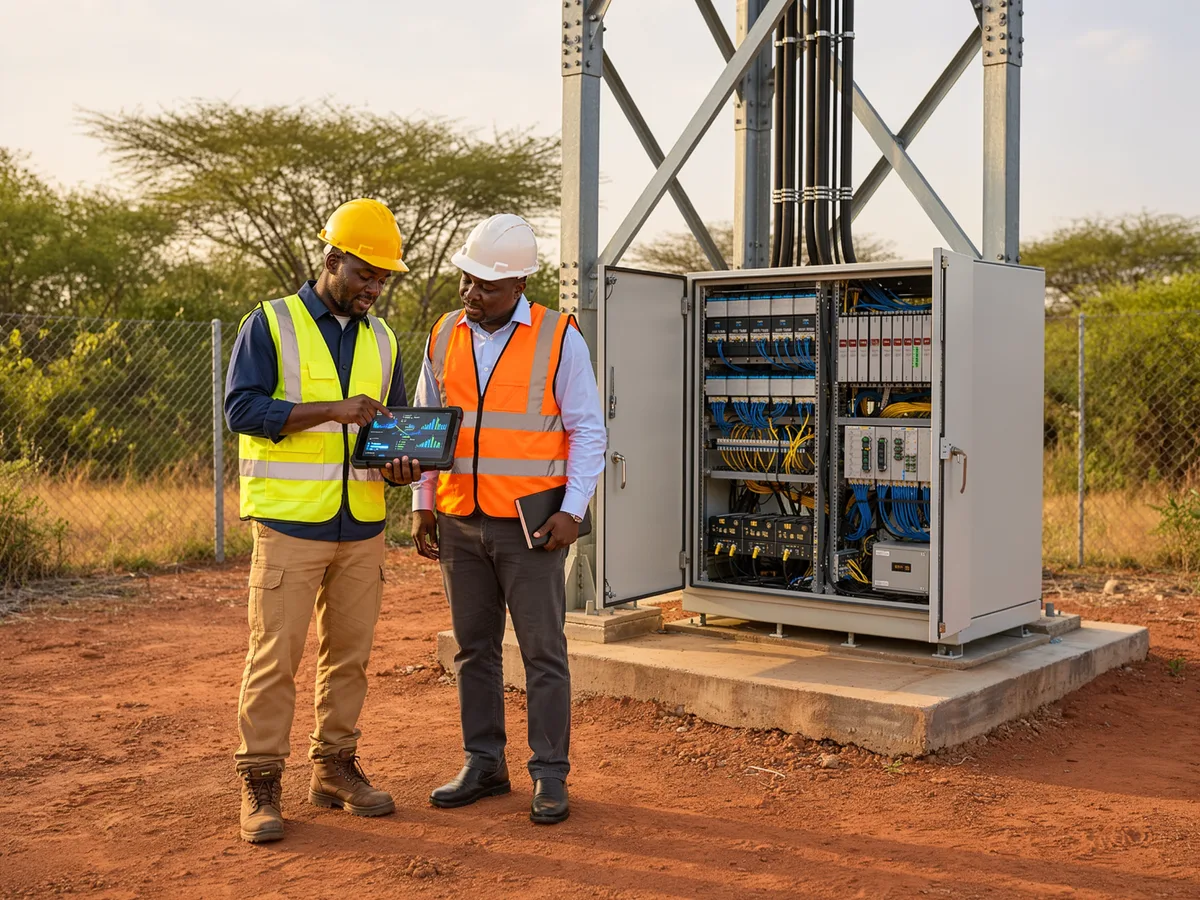
Step 2: Review before the client sees it
Back at the office, a coordinator opens Network → Review. The photos Ellis flagged are shown first, so the coordinator does not have to screen every picture.
- Open the visit in Review.
- Look at the photos, answers and signatures the engineer submitted.
- If something is wrong, tap Return for correction, give the reason, and choose the exact photo slots to retake.
- If everything is right, tap Verify completion.
A returned visit goes back to the engineer with the slots to redo. Returns are counted as workload, never as a score on a person.
Step 3: Set up your ATP checklist once
The business's Founder writes the checklist once, in Acceptance, with New ATP template:
- Start each section with #, then put each item on its own line under it.
- Add [indoor] or [outdoor] to a section or item that applies to only one kind of site. Anvela then shows only what applies to that site.
- Add the sign-off roles, one per line, for example your engineer, your QA lead and the client's representative.
- Name the closing notes heading, such as "Observations".
Then a coordinator chooses the template for each visit and taps Pin template.
Step 4: Record the ATP
Open Network → Acceptance. The list starts with visits that are Ready for acceptance, oldest due date first.
- Open the visit.
- Tap Record ATP.
- Mark each item Done, Not done or N/A. A whole section can be marked not applicable.
- Type the name for each sign-off role. The signatures go on the printed sheet.
- Write your observations: recommendations, and anything the tick sheet does not cover.
- Tap Record the ATP for this visit.
The ATP is recorded once, under your name. After that it reads exactly as recorded, and the visit shows ATP recorded with the day.
Export the ATP PDF, TSS workbook and picture report
Once the ATP is recorded, the visit offers three exports under Export:
- ATP (PDF): the checklist with each result, the observations and the sign-off sheet.
- TSS workbook (XLSX): the technical site survey, section by section, with the site photos by slot.
- Picture-report deck (PPTX): the site's photos by subject, with before and after side by side.
All three are made from the same record. Nobody retypes a survey into Excel, and the photos in the deck are the ones that were reviewed. If you have not read it yet, our guide to the telecom site survey app in Nigeria covers the survey and the TSS workbook in detail.
How proof of arrival supports acceptance
A client may ask: was the engineer really at this site? Anvela's dispatch records when an engineer accepts a visit and whether he reached the site. Photos taken with no network keep their time and position, and the reviewer is told which ones were taken offline. Our guide to field service management software in Nigeria explains how dispatch and arrival work.
What does it cost?
Every area of Anvela is free for every business until 12 January 2027. Without a Network & Enterprise agreement, a team can also try Network free for 90 days from its first site visit, with up to 25 engineers and 150 site visits a month. Photo checks and the TSS and picture reports are included.
After the trial, new site visits need a Network & Enterprise agreement. Network is priced at ₦3,000 an engineer and ₦100 an active site a month, on top of the agreement. Your sites, visits and reports stay, and downloading them is free. You can ask about it from Plan & billing.
Frequently asked questions
What does ATP mean in telecom?
ATP usually means acceptance test procedure. It is the client's item-by-item check that the work at a site meets the agreed standard, backed by photos, readings and sign-off. When it passes, the site is accepted.
Why do telecom ATP packs get rejected?
Most rejections come from the evidence, not the work: a blurry or missing photo, a skipped checklist item, or a section left blank instead of marked N/A. Checking photos on site and reviewing every visit before it goes out catches most of these.
Can I use my client's own ATP checklist in Anvela?
Yes. The Founder writes the checklist once as an ATP template, with your client's sections and items, indoor or outdoor rules, and sign-off roles. A coordinator then pins it to each visit.
Can a visit go to acceptance before it is reviewed?
No. A visit must be verified in Review before its ATP can be recorded. Anvela refuses to record it otherwise, so the client is never the first person to check the work.
Can I download the ATP as a PDF?
Yes. Once the ATP is recorded, tap ATP (PDF) under Export. You can also export the TSS workbook in Excel and the picture report in PowerPoint from the same record.
Start today
Set up your first ATP template and send your next site to the client with every photo already checked. Start free at https://anvela.ng.
- Telecom site acceptance
- ATP checklist
- Site acceptance photos
- Network
Home · Start free · Anvela Market · About · Privacy